Quick Takeaway
ETL tools help businesses extract, transform, and load data from different sources into a central system like a data warehouse or data lake. They automate integration, improve data quality, and power business intelligence and analytics.
In this blog, we reviewed 20 leading ETL tools in 2025, covering a wide range of needs:
- No-Code & Easy-to-Use Tools: Hevo, Skyvia, Integrate.io
- Open-Source Solutions: Apache Airflow, Airbyte, Meltano, Hadoop
- Enterprise-Grade Platforms: Informatica, IBM Infosphere, Oracle Data Integrator
- Cloud-Native Services: AWS Glue, Azure Data Factory, Google Cloud Dataflow, Matillion
- Specialized Options: Fivetran, Qlik, Portable.io, SSIS, Rivery, Stitch
Whether you’re a startup, SMB, or large enterprise, the right ETL tool can help streamline workflows, ensure reliable insights, and scale with your business needs.
The ETL process can become tedious and complex as the number of sources and data volume increase. This is where ETL tools come in. ETL tools can automate the process and simplify it for you.
But which tool should you use?
Choosing the right ETL tool is a crucial step while deciding your tech stack, and it could get really confusing if you are not familiar with the evaluation aspects and available tools.
In this blog, I will walk you through a list of some of the best ETL tools, mentioning their features and pricing so that you can make an informed choice.
- 1
 No-code cloud ETL for effortless, maintenance-free pipeline creation.Try Hevo for Free
 - 2
 Open-source ETL offering flexible, customizable connectors for full control.
 - 3
 Enterprise-grade managed ETL with high reliability and seamless scalability.
- 35Tools considered
- 25Tools reviewed
 20Best tools chosen
Table of Contents
What is ETL or Extract, Transform, Load?

ETL is the process of extracting data from different sources, transforming it as per operational needs, and loading it into a destination like a database or warehouse for analysis. The ETL process is vital for your business as you use data to strategize your business moves in diverse ways, such as:
- Centralizing data by pulling it from different sources and storing it in one place for easier data access and management.
- Improving decision-making by delivering clean and structured data for teams.
- Automating data collection and transformation to reduce manual work and save time.
- Improving data quality by removing errors and duplicates before loading it into the system.
Learn More: What is ETL? Guide to Extract, Transform, Load Your Data
What are ETL Tools?
ETL tools are software solutions that make the ETL process easier. They do most of the heavy lifting for extracting, transforming, and loading data, often providing ETL automation, scheduling, error monitoring, and data management.
Using an ETL tool saves you from writing complex scripts and lets you focus on using your data, not managing it.
How Do ETL Tools Work?
Different ETL tools work in diverse ways, based on where their focus is. However, the underlying principle of these tools remains the same.
Data extraction
This is the first stage of the ETL process, where the tool collects the data. It can do it from any data source, such as SQL databases, flat files, cloud storage, or SaaS applications.
Transform
This is the second stage of the ETL process where the moved data is cleaned, formatted, and structured. The process here follows specific business rules as to what type of transformation the user needs.
Load
In this last stage, the transformed data is loaded into a database, data warehouse, or business intelligence tool. The goal here is to make the data available for user applications and analysis.
Learn More: 8 Best Open-source ETL Tools to Consider in 2025
Types of ETL Tools
There are different types of ETL tools in the market. They are classified based on what they deliver to their users.
1. Open-source ETL Tools
2. Cloud ETL Tools
3. On-premise ETL Tools
4. Real-time ETL Tools
5. Custom ETL Tools
Let’s compare them in detail with a table:
| Type | Deployment | Cost | Speed | Best For | Example |
| Open-source | Self-hosted | Free | Moderate | Budget-conscious teams | Apache NiFi, Talend OSS |
| Cloud | Cloud-based | Variable subscription | High | Scalable cloud setups | AWS Glue, Google Dataflow |
| On-premise | Local servers | High | Moderate | Legacy systems | Informatica PowerCenter |
| Real-time | Cloud / Hybrid | Variable subscription | Very High | Real-time data needs | Hevo, Apache Kafka, |
| Custom | Any (built to spec) | Very High | Varies | Complex, unique workflows | In-house built tools |
What are the key factors in considering an ETL tool?
Before choosing any ETL Tool for your organization, you must know the factors you should consider while making the decision. These few aspects make an ETL Tool stand out among the vast list of available options.
| Factor | Key Considerations | Why It Matters |
| Scalability | Can it handle growing data and real-time processing? | Ensures the tool adapts to business growth. |
| Ease of Use | Is it user-friendly, with minimal coding required? | Reduces setup time and reliance on experts. |
| Integration | Does it support your data sources and analytics tools? | Ensures seamless connectivity and workflows. |
| Cost | Is it affordable with no hidden fees? | Keeps the tool within budget. |
| Security | Does it offer encryption and compliance (e.g., GDPR, HIPAA)? | Protects sensitive data and meets regulations. |
| Automation | Can tasks be scheduled and automated? | Saves time and reduces manual effort. |
| Support | Is reliable customer support or community help available? | Ensures quick resolution of issues. |
| Trial/Demo | Is there a free trial or demo? | Allows evaluation before purchase. |
List of Best ETL Tools Available in 2025
After extensive research and comparative analysis, we bring you 20 of the most value-adding, efficient, and easy-to-use cloud ETL tools in 2025 for your business.
Explore each of them to make an informed decision:
1. Hevo – Best for no-code cloud ETL

G2 Rating: 4.4
Gartner Rating: 4.4
Capterra Rating: 4.7
Hevo is a fully managed, no-code ETL/ELT platform that helps you move data in real time from 150+ sources into your warehouse or BI tool. It eliminates pipeline maintenance with auto-schema handling, built-in monitoring, and 24×7 support.
With transparent event-based pricing, Hevo avoids the unpredictability of row or MAR-based billing. Teams can set up pipelines quickly using a no-code interface, while advanced users get the flexibility of Python transformations and dbt integration.
Trusted by 2,000+ companies worldwide, Hevo scales from startups to enterprises handling billions of records. It combines simplicity, reliability, and predictable costs — making it a powerful alternative to complex, high-maintenance ETL tools.
Key features:
- 360 visibility: Hevo offers unified dashboards, detailed logs, and data lineage views to help you track every pipeline in real time. You can also detect anomalies early with batch-level checks, keeping your data accurate, consistent, and reliable across multiple systems.
- Ease of use: Hevo Data lets you get started in minutes. Its no-code setup requires no scripting or infrastructure management. You can build and scale data pipelines using a visual UI designed for speed and simplicity.
- Reliability: With Hevo, pipeline failures are no longer an issue. It offers auto-healing pipelines, intelligent retries, and a fault-tolerant architecture to ensure continuous data flow even when sources fail. Hevo provides robust error handling and data validation mechanisms to ensure data accuracy and consistency. Hevo’s automatic schema handling adapts to changes in APIs or structures without breaking workflows.
- Cost-effectiveness: Hevo offers transparent, straightforward pricing plans based on event volume that cater to businesses of all sizes. This helps you forecast spend accurately for better budget management. There are no hidden charges, credit fees, or overages with Hevo.
Pricing: Hevo provides the following pricing plan:
- Free Trial for 14 days
- Starter – $239 per month
- Professional – $679 per month
- Business Critical – Contact sales
Why Use It? It’s user-friendly, supports real-time & batch data pipelines, and offers a no-code interface.
Best For: Startups and mid-sized businesses, teams with limited engineering resources, and organizations seeking fast, seamless data integration.
Customer Testimonial


Facing challenges migrating your data from various sources? Migrating your data can become seamless with Hevo’s no-code, intuitive platform.
Get Started with Hevo for Free2. Airflow– Best for workflow orchestration of complex ETL pipelines
G2 Rating: 4.3
Capterra Rating: 4.6
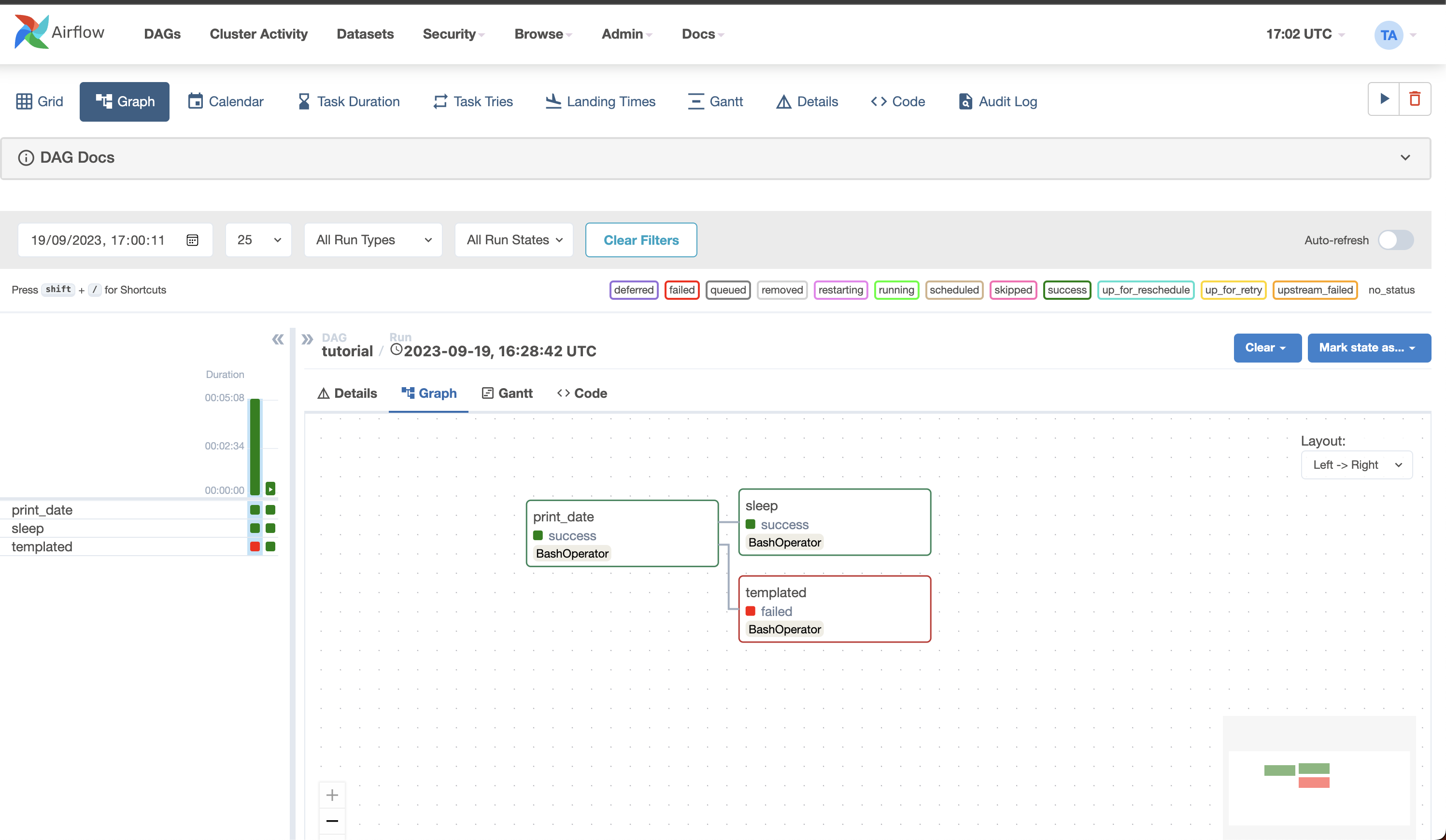
Apache Airflow is an open-source platform bridging orchestration and management in complex data workflows. Originally designed to serve the requirements of Airbnb’s data infrastructure, it is now being maintained by the Apache Software Foundation. Airflow is one of the most used tools for data engineers, data scientists, and DevOps practitioners looking to automate pipelines related to data engineering.
Features:
- Easy usability: Deploying Airflow requires just a little knowledge of Python.
- Open Source: It is an open-source platform, making it free to use and resulting in many active users.
- Numerous Integrations: Platforms like Google Cloud, Amazon AWS, and many more can be readily integrated using the available integrations.
- Python for coding: Beginner-level knowledge of Python is sufficient to create complex workflows on airflow.
- User Interface: Airflow’s UI helps monitor and manage workflows.
- Highly Scalable: Airflow can execute thousands of tasks per day simultaneously.
Pricing: Free
Why Use It? Highly customizable and open-source.
Best For: Developers seeking flexibility and engineering teams working with large, complex workflows that require scalability and customizability.
3. Airbyte – Best open-source ETL tool
G2 Rating: 4.5
Gartner Rating: 4.6
Airbyte is a leading open-source platform featuring a library of 350+ pre-built connectors. While the catalog is extensive, it also allows you to build custom connectors for data sources and destinations not included in the list. Thanks to its user-friendly interface, creating a custom connector takes just a few minutes.
Features:
- Multiple Sources: Airbyte can easily consolidate numerous sources. You can quickly bring your datasets together at your chosen destination, even if they are spread over various locations.
- Massive variety of connectors: Airbyte offers 350+ pre-built and custom connectors.
- Open Source: Free to use, and with open source, you can edit connectors and build new connectors in less than 30 minutes without needing separate systems.
- Automation and Version Control: It provides a version-control tool and options to automate your data integration processes.
Pricing: It offers various pricing models:
- Open Source – Free
- Cloud – It offers a free trial and charges $360/mo for a 30GB volume of data replicated per month.
- Team – Talk to the sales team for the pricing details.
- Enterprise – Talk to the sales team for the pricing details.
Why Use It? Free and open-source, with robust integration options.
Best For: Cost-conscious teams, companies with specific integration needs, and engineering teams that prefer open-source solutions.
4. Meltano – Best for open-source ELT with analytics integration

G2 Rating: 4.9(7)
Meltano is an open-source platform for managing the entire data pipeline, including extraction, transformation, loading, and analytics. It is pip-installable and comes with a prepackaged Docker container for swift deployment. This ETL tool powers a million monthly pipeline runs, making it best suited for creating and scheduling data pipelines for businesses of all sizes.
Key Features
- Cost-Efficiency: Pay only for the actual workloads that you run, regardless of data volume, with the choice to either manage the system yourself or use a managed orchestrator.
- Improved Efficiency: Build, optimize, debug, and fix connectors seamlessly, without needing support. Our team is here to help, not slow you down.
- Centralized Management: Manage all data pipelines, databases, files, SaaS, internal systems, Python scripts, and tools like dbt from one place in a snap.
- No Constraints: Add new data sources, apply PII masking before warehouse injection, develop custom connectors, and contribute pipelines from other teams.
Why Use It? Perfect for organizations seeking a flexible, open-source tool to handle their entire data pipeline.
Best For: Data teams that require a modular and extensible solution for managing data pipelines.
5. Hadoop – Best for big‑data batch ETL
G2 Rating: 4.4(140)
Apache Hadoop is an open-source framework for efficiently storing and processing large datasets ranging in size from gigabytes to petabytes. Instead of using one large computer to store and process the data, Hadoop allows clustering multiple computers to analyze massive datasets in parallel more quickly. It offers four modules: Hadoop Distributed File System (HDFS), Yet Another Resource Negotiator (YARN), MapReduce, and Hadoop Common.
Features:
- Scalable and cost-effective: Can handle large datasets at a lower cost.
- Strong community support: Hadoop offers wide adoption and a robust community.
- Suitable for handling massive amounts of data: Efficient for large-scale data processing.
- High fault tolerance: Hadoop data is replicated on various data nodes in a Hadoop cluster, which ensures data availability if any of your systems crash.
Pricing: Free
Why Use It? Extensible data integration tool with CLI interface and built-in ELT orchestration.
Best For: Large enterprises needing to store and process big data efficiently in a distributed system.
6. Informatica – Best enterprise-grade ETL and data governance
G2 Rating: 4.4(85)
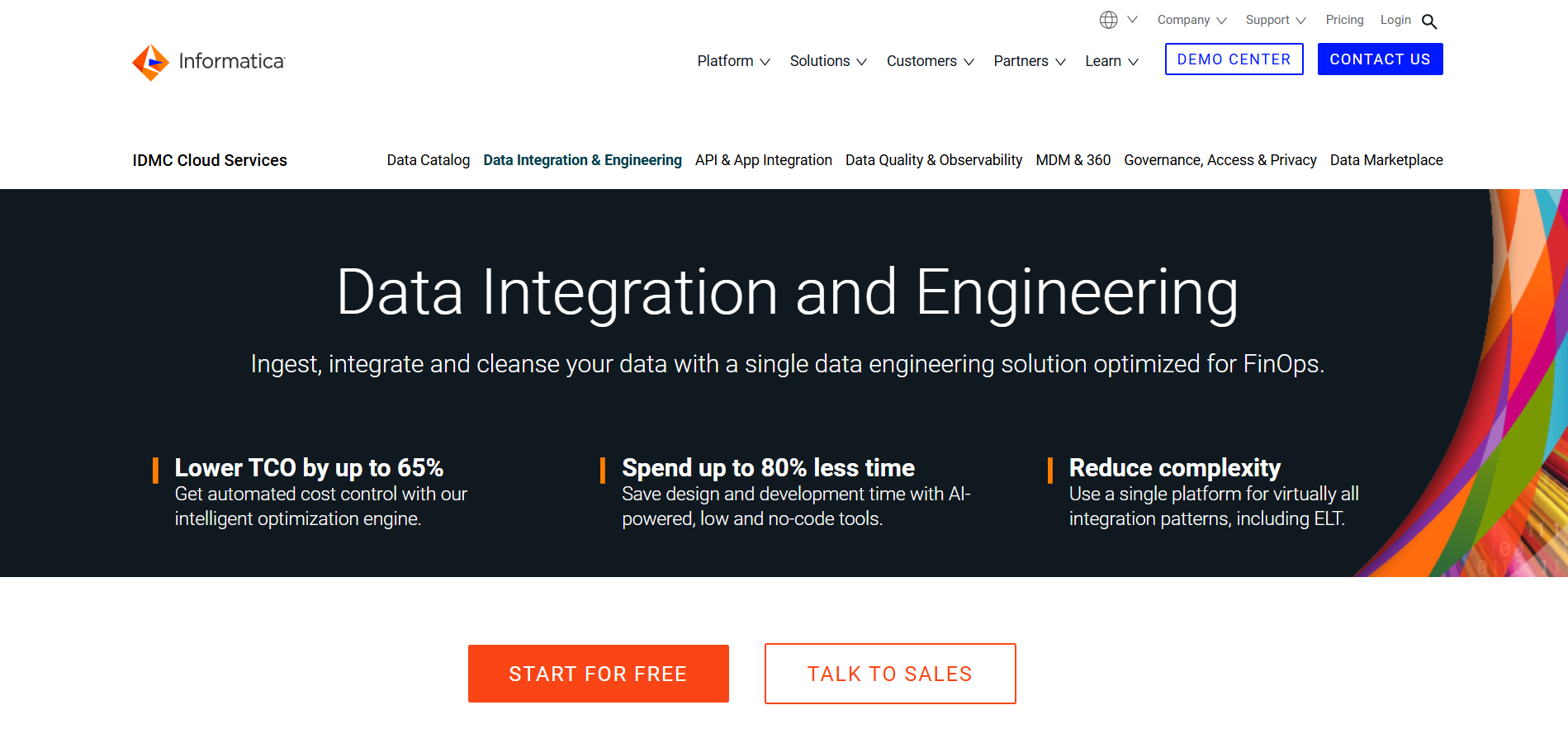
Informatica PowerCenter is a common data integration platform widely used for enterprise data warehousing and data governance. PowerCenter’s powerful capabilities enable organizations to integrate data from different sources into a consistent, accurate, and accessible format. PowerCenter is built to manage complicated data integration jobs. Informatica uses integrated, high-quality data to power business growth and enable better-informed decision-making.
Key Features:
- Role-based: Informatica’s role-based tools and agile processes enable businesses to deliver timely, trusted data to other companies.
- Collaboration: Informatica allows analysts to collaborate with IT to prototype and validate results rapidly and iteratively.
- Extensive support: Support for grid computing, distributed processing, high availability, adaptive load balancing, dynamic partitioning, and pushdown optimization
Pricing: Informatica supports volume-based pricing. It also offers a free plan and three different paid plans for cloud data management.
Why Use It? Enterprise-grade data integration with AI-powered ETL automation and strong governance features.
Best For: Large enterprises with complex data workflows and stringent data governance needs.
7. AWS Glue – Best serverless ETL for AWS ecosystem
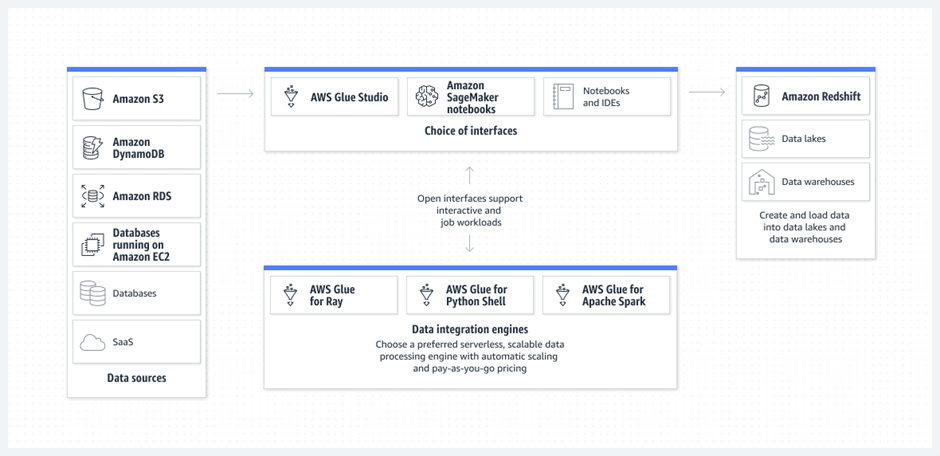
AWS Glue is a serverless data integration platform that helps analytics users discover, move, prepare, and integrate data from various sources. It can be used for analytics, application development, and machine learning. It includes additional productivity and data operations tools for authoring, running jobs, and implementing business workflows.
Key Features:
- Auto-detect schema: AWS Glue uses crawlers that automatically detect and integrate schema information into the AWS Glue Data Catalog.
- Transformations: AWS Glue visually transforms data with a job canvas interface.
- Scalability: AWS Glue supports dynamic scaling of resources based on workloads.
Pricing: AWS Glue supports plans based on hourly rating, billed by the second, for crawlers (discovering data) and extract, transform, and load (ETL) jobs (processing and loading data).
Why Use It? Serverless AWS ETL for integrating and transforming data at scale with minimal management overhead.
Best For: AWS-centric organizations looking to simplify data integration and transformation.
8. IBM Infosphere – Best for enterprise data integration across on‑prem and cloud
G2 Rating: 4.1(23)
IBM InfoSphere Information Server is a leading data integration platform that helps you understand, cleanse, monitor, and transform data more easily. The offerings provide massively parallel processing (MPP) capabilities that are scalable and flexible.
Key Features
- Integrate data across multiple systems: Get fast, flexible data integration that’s deployable on premises or in the cloud with this ETL platform.
- Understand and govern your information: Use a standardized approach to discover your IT assets and define a common business language for your data.
- Improve business alignment and productivity: Get a better understanding of current data assets while improving integration with related products.
Pricing: Depending on the size of your company, the service level needed, and the particular modules or components you want, IBM usually offers a variety of Infosphere versions and price choices.
Why Use It? Comprehensive data management with features like governance, analytics, and warehousing.
Best For: Enterprises with complex, high-volume data integration and governance needs.
9. Azure Data Factory – Best ETL orchestration within Azure
G2 Rating: 4.6(81)
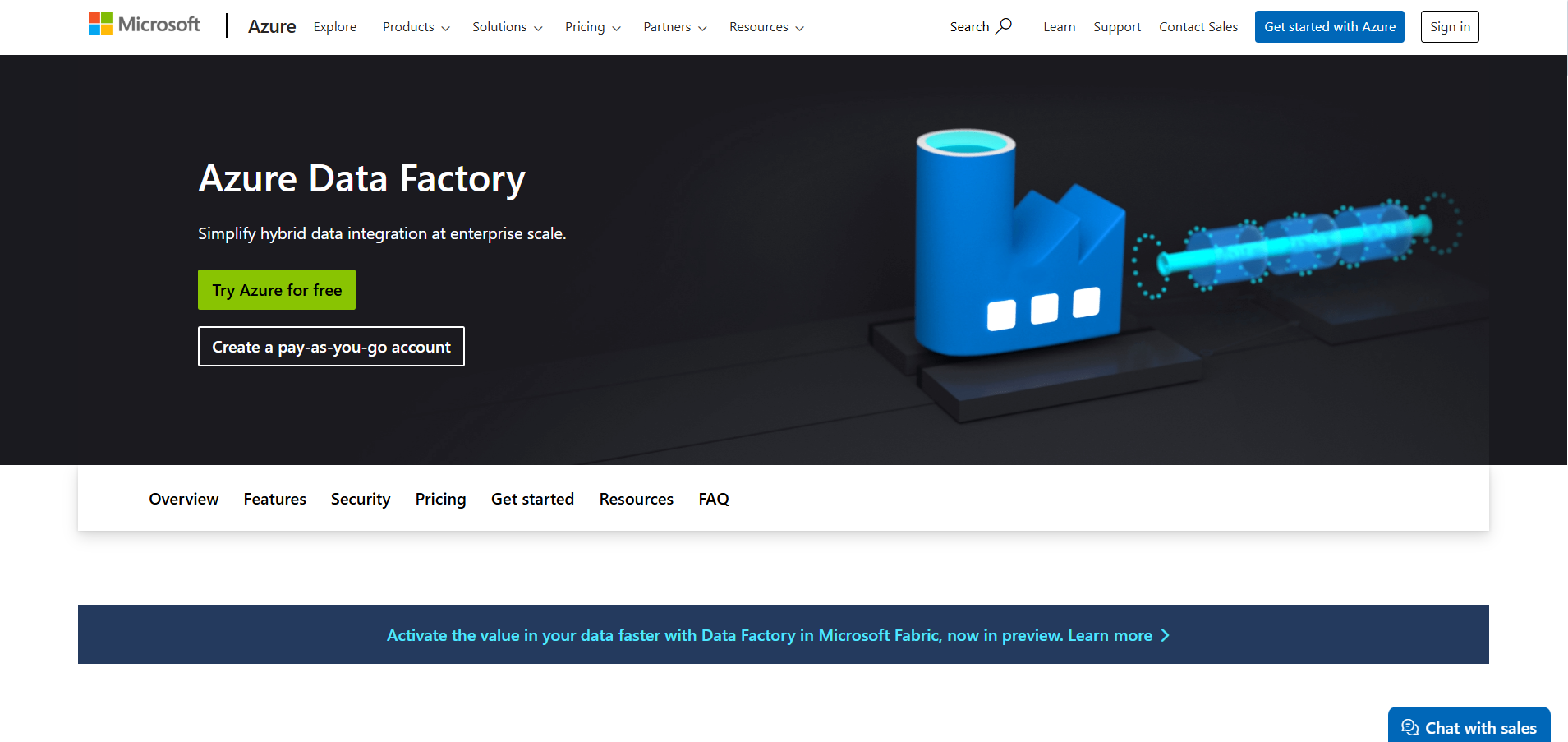
Azure Data Factory is a serverless data integration software that supports a pay-as-you-go model that scales to meet computing demands. The service offers no-code and code-based interfaces and can pull data from over 90 built-in connectors. It is also integrated with Azure Synapse analytics, which helps perform analytics on the integrated data.
Key Features:
- No-code pipelines: Provide services to develop no-code ETL and ELT pipelines with built-in Git and support for continuous integration and delivery (CI/CD).
- Flexible pricing: Supports a fully managed, pay-as-you-go serverless cloud service that supports auto-scaling on the user’s demand.
- Autonomous support: Supports autonomous ETL to gain operational efficiencies and enable citizen integrators.
Pricing: Azure Data Factory supports free and paid pricing plans based on user’s requirements. Their plans include:
- Lite
- Standard
- Small Enterprise Bundle
- Medium Enterprise Bundle
- Large Enterprise Bundle
- DataStage
Why Use It: Cloud-native data pipeline orchestration for hybrid and on-premises data integration.
Best For: Companies with Azure cloud infrastructure looking to automate data workflows across platforms.
10. Google Dataflow – Best for data‑processing pipelines and stream/batch ETL
G2 Rating: 4.2(50)
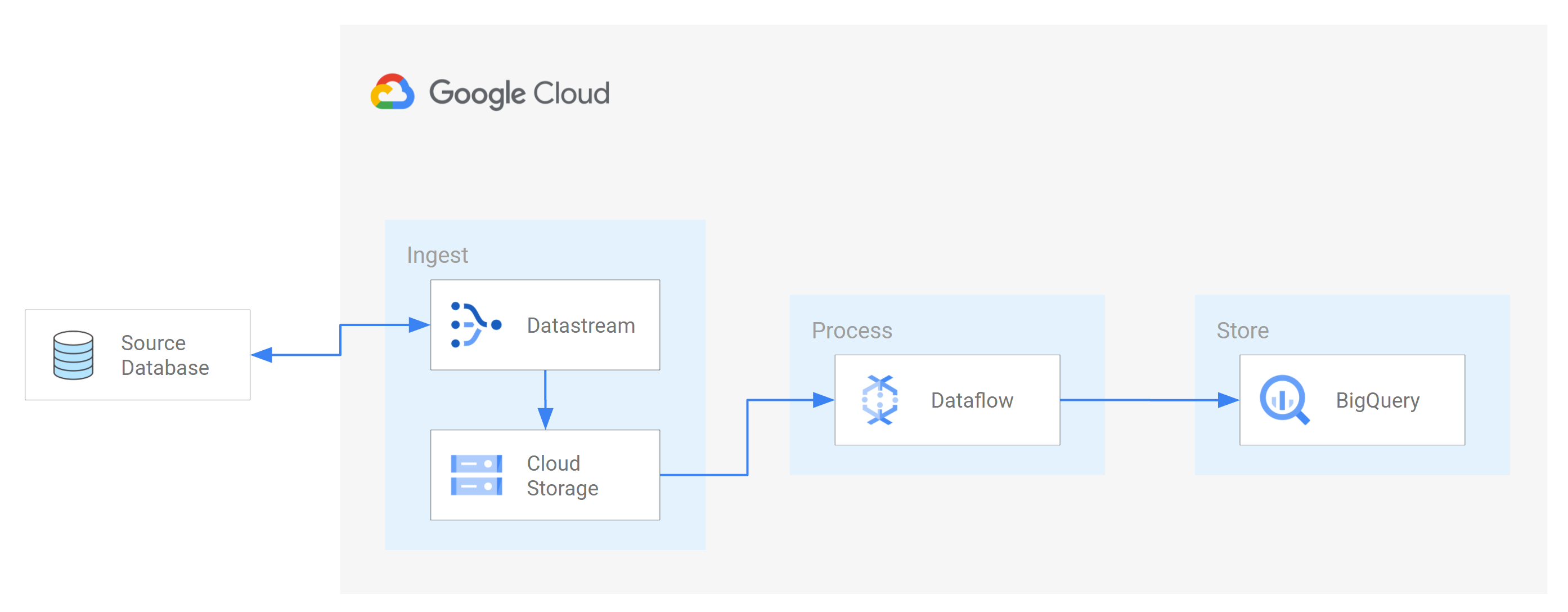
Dataflow is a fully managed platform for batch and streaming data processing. It enables scalable ETL pipelines, real-time stream analytics, real-time ML, and complex data transformations using Apache Beam’s unified model, all on serverless Google Cloud infrastructure.
Key Features
- Use streaming AI and ML to power-gen AI models in real-time.
- Enable advanced streaming use cases at enterprise scale.
- Deploy multimodal data processing for gen AI.
- Accelerate time to value with templates and notebooks.
Pricing: Separate pricing for compute and other resources. You can check out their pricing page for details.
Why Use It: Stream and batch data processing with fully managed infrastructure by Google Cloud.
Best For: Google Cloud customers needing a serverless GCP ETL solution for real-time and batch data processing.
11. Stitch – Best lightweight cloud ETL for SMBs
G2 Rating: 4.4(58)
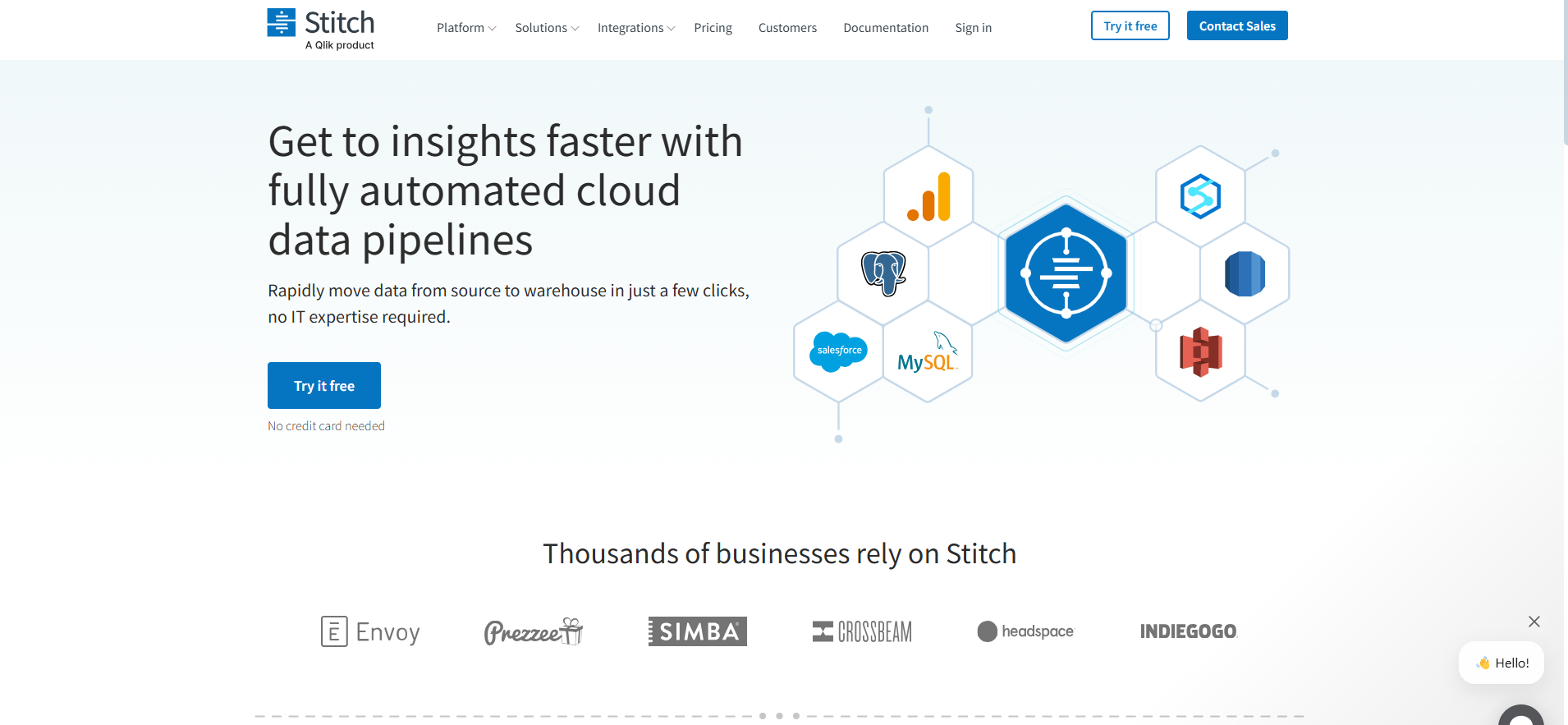
Stitch is a cloud-first, open-source platform for rapidly moving data. It is a service for integrating data and gathering information from over 130 platforms, services, and apps. The platform centralizes this data in a data warehouse, eliminating the need for manual coding. Stitch is open-source, allowing development teams to extend the tool to support additional sources and features.
Key Features:
- Flexible Schedule: Stitch provides easy scheduling for when you need the data to be replicated.
- Fault Tolerance: Resolves issues automatically and alerts users when necessary in case errors are detected.
- Continuous Monitoring: Monitors the replication process with detailed extraction logs and loading reports.
Pricing: Stitch provides the following pricing plan:
- Standard-$100/ month
- Advanced-$1250 annually
- Premium-$2500 annually
Why Use It: Simple and fast SaaS-based ETL with automated connectors for small to medium businesses.
Best For: Data teams who need a simple, easy-to-use ETL tool with minimal configuration
12. Oracle Data Integrator(ODI) – Best for Oracle‑centric data integration
G2 Rating: 4.0(19)
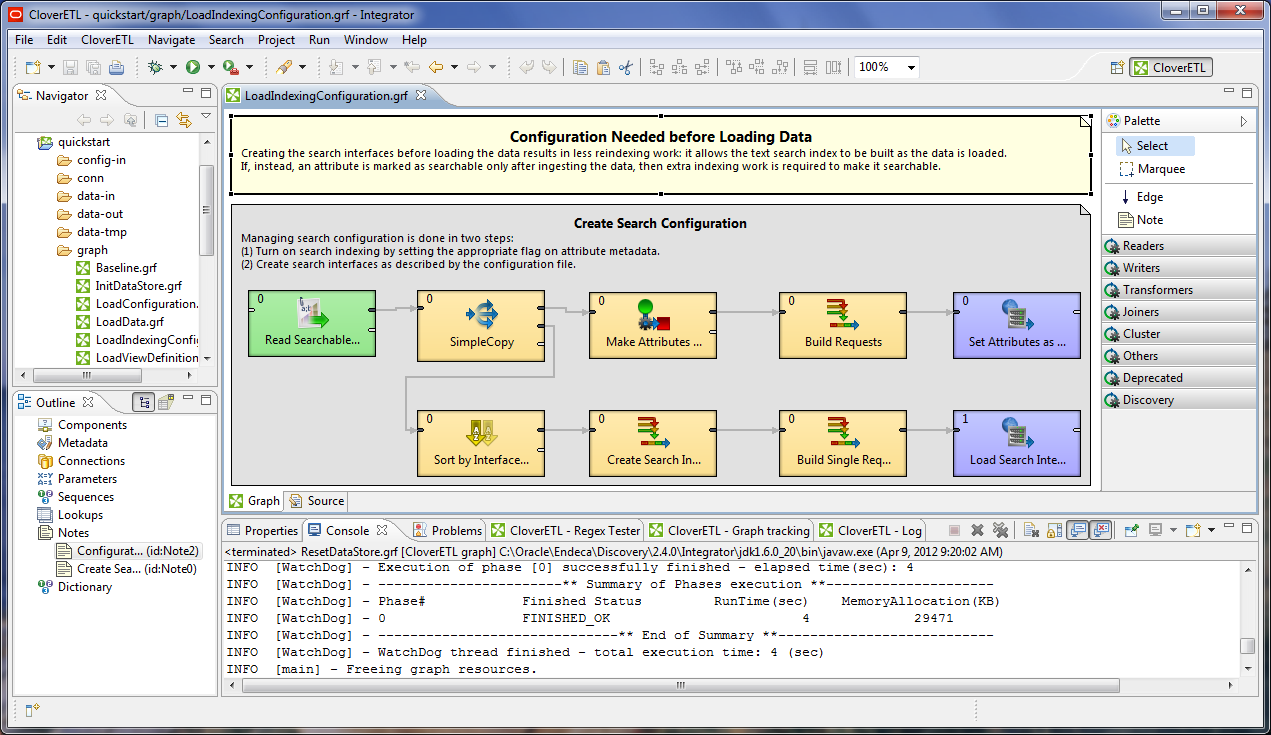
Oracle Data Integrator is a comprehensive data integration platform covering all data integration requirements:
- High-volume, high-performance batch loads
- Event-driven, trickle-feed integration processes
- SOA-enabled data services
In addition, it has built-in connections with Oracle GoldenGate and Oracle Warehouse Builder and allows parallel job execution for speedier data processing.
Key Features
- Parallel processing: ODI supports parallel processing, allowing multiple tasks to run concurrently and enhancing performance for large data volumes.
- Connectors: ODI provides connectors and adapters for various data sources and targets, including databases, big data platforms, cloud services, and more. This ensures seamless integration across diverse environments.
- Transformation: ODI provides advanced data transformation capabilities.
Pricing: Oracle data integrator provides service prices at the customer’s request.
Why Use It? High-performance bulk data movement and transformation for Oracle and non-Oracle environments.
Best For: Enterprises heavily invested in Oracle technologies.
13. Integrate.io – Best no‑code ETL for rapid deployment

G2 Rating: 4.3(199)
Integrate.io is a leading low-code data pipeline platform that provides ETL services to businesses. Its constantly updated data offers insightful information for organizations to make decisions and perform activities such as lowering their CAC, increasing their ROAS, and driving go-to-market success.
Key Features:
- User-friendly Interface: Integrate.io offers a low-code, simple drag-and-drop user interface, and transformation features – like sort, join, filter, select, limit, clone, etc. —that simplify the ETL and ELT process.
- API connector: Integrate.io provides a REST API connector that allows users to connect to and extract data from any REST API.
- Order of action: Integrate.io’s low-code and no-code workflow creation interface allows you to specify the order of actions to be completed and the circumstances under which they should be completed using dropdown choices.
Why Use It? Low-code ETL with rich transformations and a focus on ease of use.
Best For: SaaS-heavy businesses that need real-time data integration.
14. Fivetran – Best ETL tool for enterprises
G2 Rating: 4.2(406)
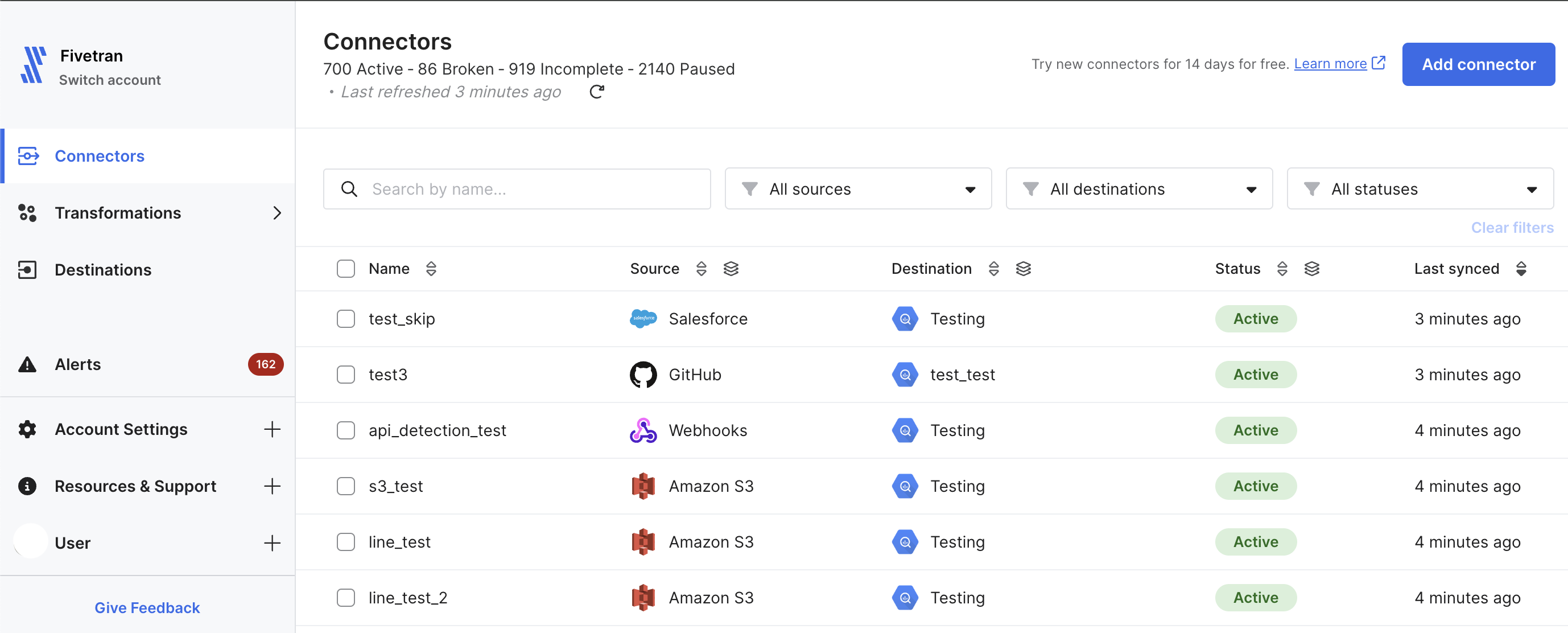
Fivetran’s platform of valuable tools is designed to make your data management process more convenient. Within minutes, the user-friendly software retrieves the most recent information from your database, keeping up with API updates. In addition to ETL tools, Fivetran provides database replication, data security services, and round-the-clock support.
Key Features:
- Connectors: Fivetran makes data extraction easier by maintaining compatibility with hundreds of connectors.
- Automated data cleaning: Fivetran automatically looks for duplicate entries, incomplete data, and incorrect data, making the data-cleaning process more accessible for the user.
- Data transformation: Fivetran’s feature makes analyzing data from various sources easier.
Why Use It? Fully automated, reliable data replication with built-in schema evolution, support, and an extensive connector library.
Best For: Companies looking for automated data integration with minimal configuration.
15. Qlik – Best for integrated BI & ETL workflows
G2 Rating: 4.3(123)
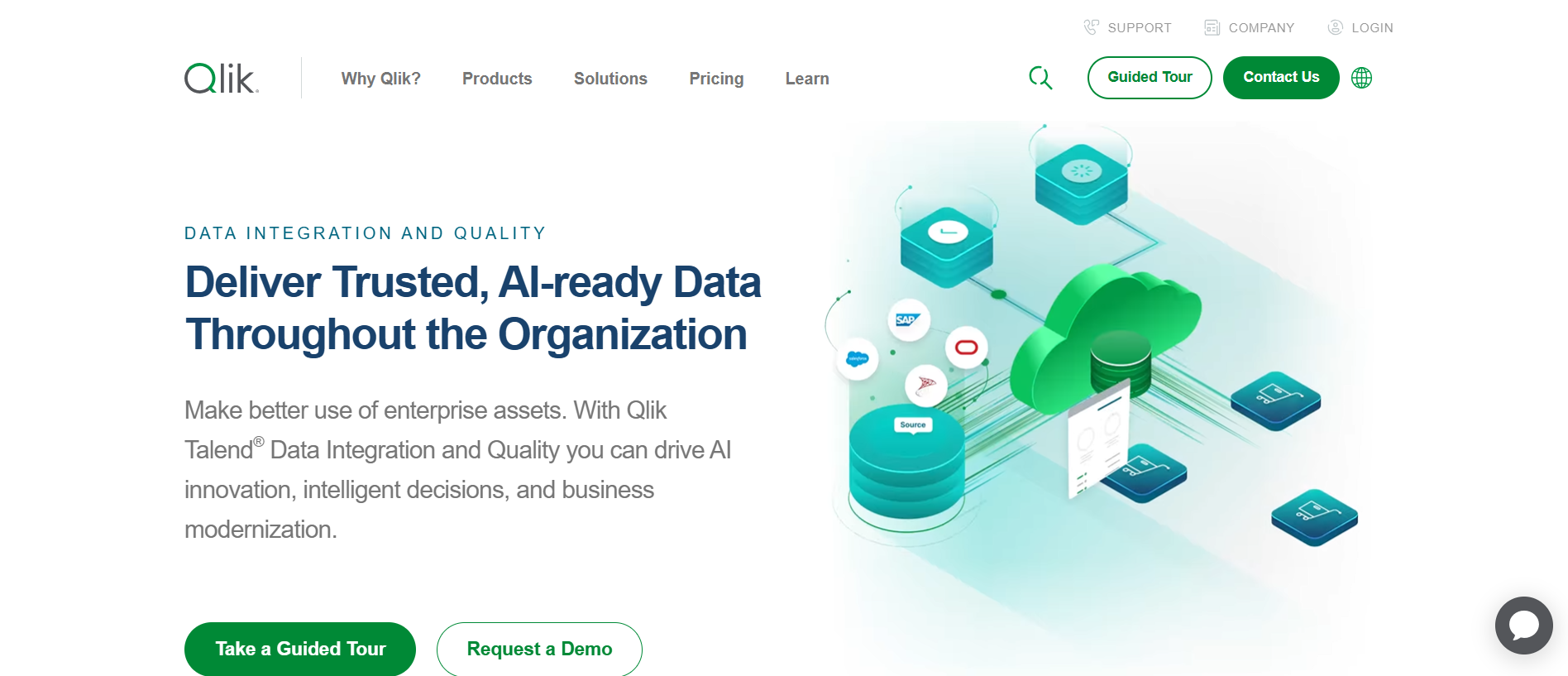
Qlik’s Data Integration Platform is a comprehensive solution designed to streamline and accelerate data movement and transformation within modern data architectures.
Key Features
- Real-time Data Streaming: Captures and delivers high-volume, real-time data from diverse sources (SAP, Mainframe, databases, etc.) to cloud platforms, data warehouses, and data lakes.
- Automated Data Pipelines: Automates data transformation and delivery, reducing manual effort and minimizing errors.
- Enhanced Agility: Enables rapid data delivery across multi-cloud and hybrid environments, supporting agile analytics and faster insights.
- Data Warehouse Modernization: Automates the entire data warehouse lifecycle, accelerating the availability of analytics-ready data.
Why Use It: Real-time data movement with advanced analytics and visualization capabilities.
Best For: Teams focused on data analysis, business intelligence, and reporting.
16. Portable.io – Best for high‑connector‑volume ELT
G2 Rating: 5.0(19)
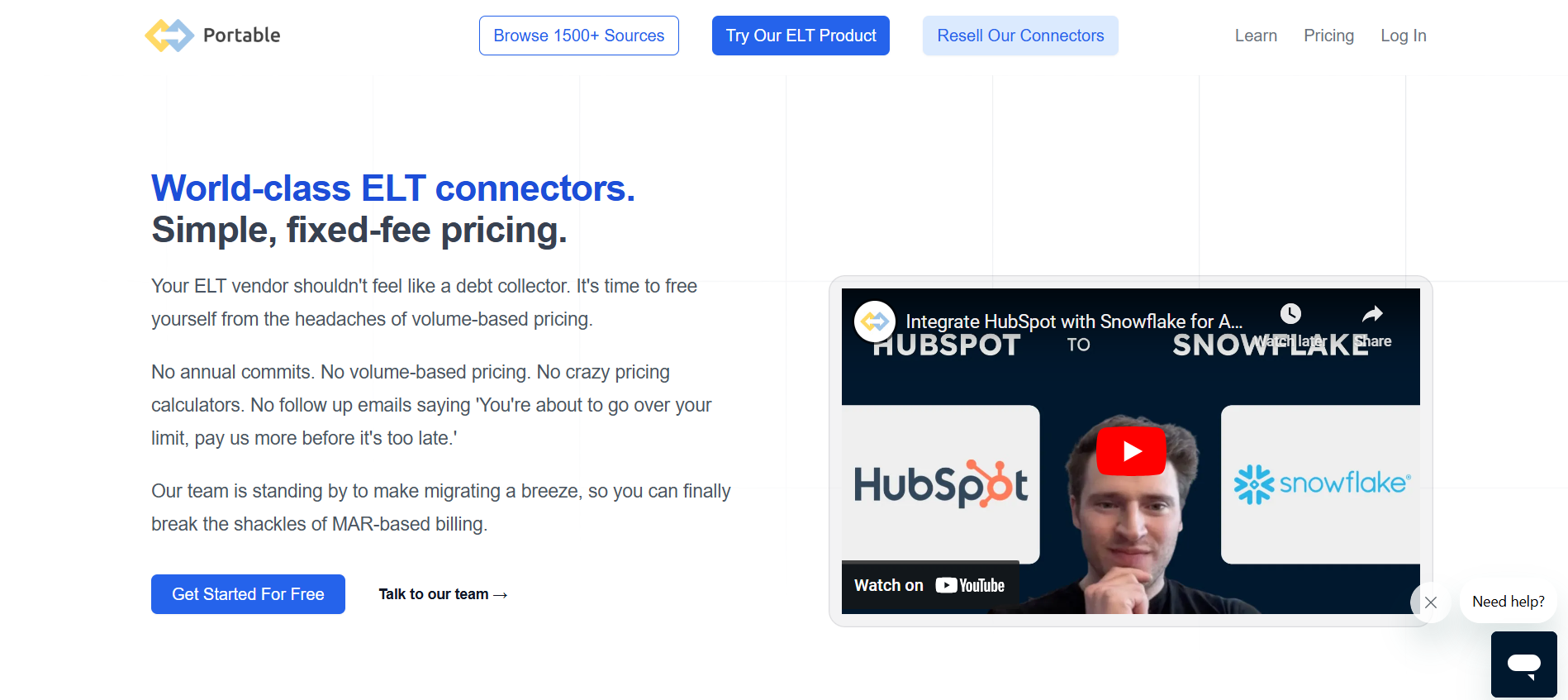
Portable is a unique no-code integration platform that specializes in connecting to a vast array of data sources, including many that other ETL providers often overlook.
Key Features:
- Extensive Connector Library: Offers a massive catalog of over 1300 pre-built connectors, providing seamless integration with a wide range of SaaS applications and other data sources.
- User-Friendly Interface: Features a visual workflow editor that simplifies the creation of complex ETL procedures, making it accessible to users with varying technical expertise.
- Real-time Data Integration: Enables real-time data synchronization and updates, ensuring that data remains current and actionable.
Pricing: It offers three pricing models to its customers:
- Starter: $290/mo
- Scale: $1,490/mo
- Custom Pricing
Why Use It: Quick deployment of long-tail connectors tailored to niche data sources.
Best For: Small-to-medium businesses with a strong SaaS ecosystem.
17. Skyvia – Best budget‑friendly ETL with no‑code simplicity

G2 Rating: 4.8(242)
Skyvia is a cloud-based data management platform that simplifies data integration, backup, and management for businesses of all sizes.
Key Features:
- No-Code Data Integration: Provides a user-friendly interface with wizards and intuitive tools for data integration across databases and cloud applications, eliminating the need for coding.
- Flexible and Scalable: Offers a range of pricing plans to accommodate businesses of all sizes and budgets.
- High Availability: Hosted on a reliable and secure Azure cloud infrastructure, ensuring continuous data access and minimal downtime.
- Easy On-Premise Access: Enables secure access to on-premises data sources without complex network configurations.
Pricing:
It provides five pricing options to its users:
- Free
- Basic: $70/mo
- Standard: $159/mo
- Professional: $199/mo
- Enterprise: Contact the team for pricing information.
Why Use It? Cloud-based integration for syncing, migrating, and backing up data with ease.
Best For: Teams with limited technical expertise who need to automate data integration and backups.
See a detailed list of Skyvia alternatives
18. Matillion – Best cloud‑native ETL/ELT for data warehouses

G2 Rating: 4.4(80)
Matillion is a leading cloud-native ETL/ELT platform that empowers organizations to use cloud data warehouses and data lakes effectively.
Key Features:
- Seamless Cloud Integration: Integrates seamlessly with major cloud platforms like Snowflake, AWS Redshift, and Google BigQuery.
- Flexible Data Processing: Supports both Extract-Load-Transform (ELT) and Extract-Transform-Load (ETL) methodologies.
- Intelligent Orchestration: Utilizes PipelineOS for intelligent resource allocation and dynamic scaling.
- High Availability & Reliability: Ensures continuous data processing with high-availability features and robust error handling.
Pricing:
It provides three packages:
- Basic- $2.00/credit
- Advanced- $2.50/credit
- Enterprise- $2.70/credit
Why Use It? Cloud-native ETL optimized for modern data warehouses like Snowflake and BigQuery.
Best For: Teams working with cloud data warehouses that need a scalable ETL solution.
19. SSIS – Best ETL for Microsoft SQL Server environments
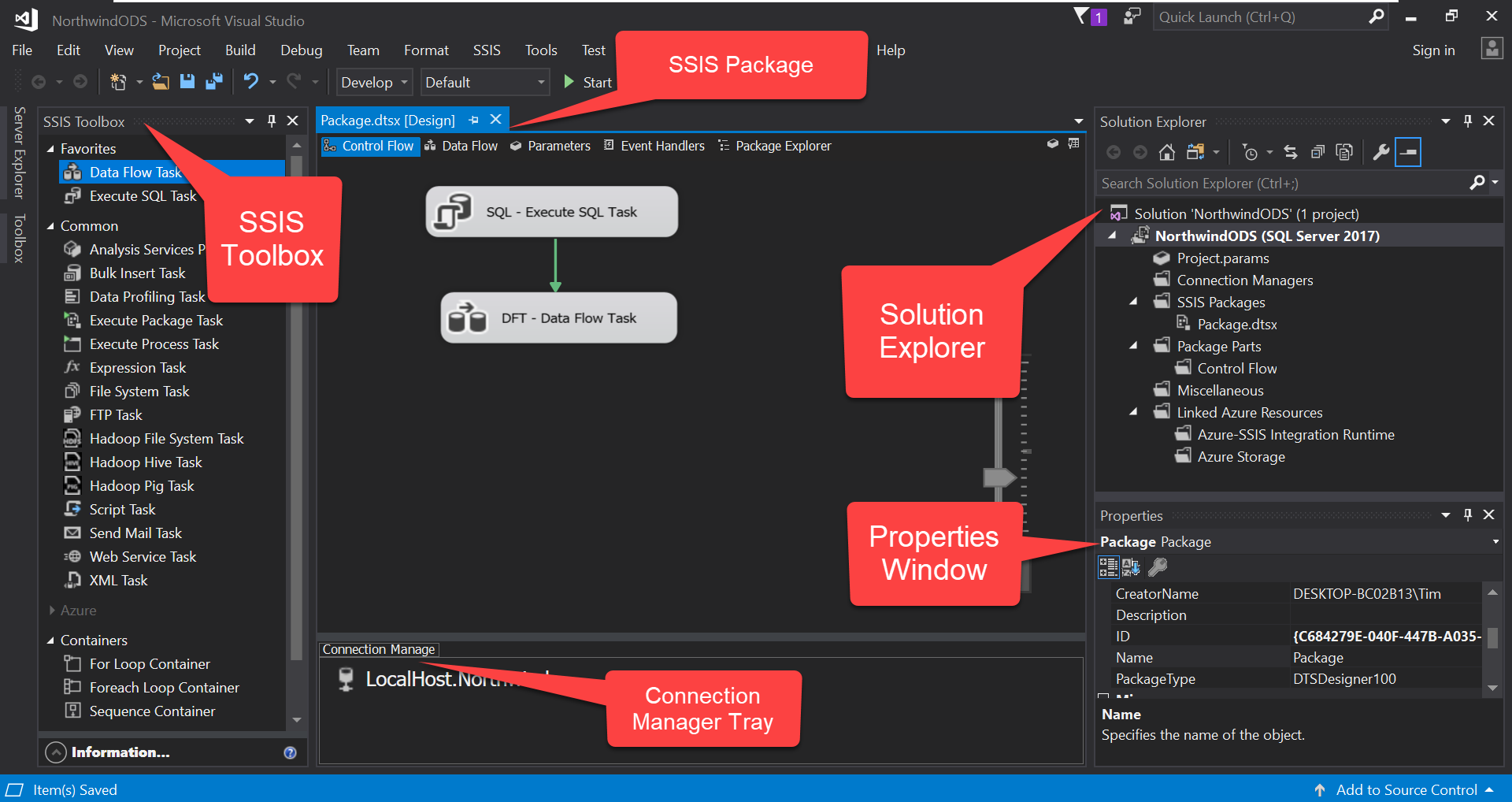
SQL Server Integration Services is a platform for building enterprise-level data integration and data transformation solutions.
Key Features
- Error Handling: Provides robust error-handling mechanisms, including logging, event handlers, and configurable error output paths.
- Customization Options: Allows developers to create custom tasks, components, and scripts using .NET languages (C#, VB.NET).
- Vast Integration Options: SSIS enables integration across various data sources, including databases (SQL Server, Oracle, MySQL), flat files, XML, Excel, and more.
Why Use It? Powerful ETL for Microsoft SQL Server with extensive transformations and control flow options.
Best For: Organizations heavily invested in Microsoft technologies
Pricing: It provides various pricing plans based on your needs.
20. Rivery – Best unified ETL + Reverse ETL platform

G2 Rating: 4.7/5(112)
Capterra Rating: 5/5(12)
Rivery is a powerful ELT platform famous for its flexibility and comprehensive data management capabilities. It provides an intuitive UI for quickly creating and handling data pipelines. Recently, Boomi, a leader in the IPaaS Platform industry, has acquired Rivery. Rivery supports real-time data processing, and many customizations regarding data transformations can be done to fit various complex workflows.
Key Features
- Customizable Setup: Provides a high level of flexibility, allowing users to tailor the setup according to specific needs, which can be advantageous for complex integrations.
- User-Friendly Design: Although it offers flexibility, users may need to familiarize themselves with the interface and configuration options.
- Visual Interface: The platform features a user-friendly visual interface, which simplifies the data transformation process and makes it accessible to non-technical users.
- Pre-Built Templates: Provides a variety of pre-built templates that streamline the setup of data workflows and integrations.
Pricing: Rivery’s pricing is based on RPU credits consumed.
- Starter: $0.75/RPU, ideal for small teams, limited users and environments.
- Professional: $1.20/RPU, for scaling teams, includes more users and environments.
- Enterprise: Custom pricing, for large enterprises with advanced needs.
Why Use It: Fully managed ELT with pre-built connectors and no-code workflows for faster delivery.
Pick Your Perfect ETL Tool: Quick Comparison Guide
| Tool | Ease of Use | Support | Integration Capabilities | Pricing |
| Hevo Data | User-friendly interface, No-code | 24/7 customer support, comprehensive documentation, | Supports 150+ data sources, real-time data | transparent tier-based pricing |
| Informatica PowerCenter | Complex- requires expertise | Extensive support options, community | Highly scalable, 200 pre-built connectors | Expensive, enterprise-focused |
| AWS Glue | Moderate, some technical knowledge required | AWS support, documentation, community | Integrates well with the AWS ecosystem, 70+ data sources. | Pay-as-you-go, cost-effective for AWS users |
| Google Cloud Dataflow | Moderate, technical knowledge is needed | Google Cloud support, community | Integrates with GCP services | Pay-as-you-go, flexible pricing |
| Fivetran | Very easy, automated | 24/7 support, extensive documentation | Supports 400+ data connectors, automated ELT | Subscription-based, transparent pricing |
| Stitch | Easy, simple UI | Standard support, community forums | Integrates with many data warehouses and supports 130+ connectors. | Transparent, tiered pricing |
| Matillion | Easy, visual interface | Good support, extensive documentation | Strong integration with cloud platforms, 100+ connectors | Subscription-based, varies by cloud |
| IBM Infosphere | Complex, requires expertise | Robust support, comprehensive | Extensive integration capabilities | Enterprise pricing, typically expensive |
| Oracle Data Integrator | Complex, requires Oracle ecosystem knowledge | Oracle support, community forums | Best with Oracle products, broad integration | Enterprise pricing, typically expensive |
| Skyvia | Easy, intuitive interface | Standard support, community forums | Supports cloud and on-premises sources | Transparent, tiered pricing |
| SSIS | Moderate | Microsoft support | Microsoft ecosystem | Part of SQL Server license. |
| Azure Data Factory | Moderate, Azure knowledge needed | Microsoft support, community | Integrates well with Azure services, 90+ connectors. | Pay-as-you-go, flexible pricing |
| Rivery | Very Easy | 24/7 support | Managed ELT | Custom pricing; starts at $0.75/credit. |
| Apache Airflow | Complex, requires expertise | Community support, some enterprise | Highly customizable, many integrations | Free, open-source |
| Integrate.io | Easy, drag-and-drop interface | 24/7 support, extensive documentation | Many pre-built connectors and 100+ SaaS applications. | Subscription-based, flexible pricing |
| Qlik | Moderate, some learning curve | Good support, community forums | Wide range of data connectors | Subscription-based, typically expensive |
| Airbyte | Easy, open-source, customizable | Community support | 350+ pre-built connectors | Free, open-source |
| Portable.io | Easy, customizable, low-code | Standard support, extensive documentation | Supports many data sources, real-time | Subscription-based, transparent pricing |
| Meltano | Moderate | Limited (Community) | Flexible with CLI tools. | Free (Open-source). |
| Hadoop | Complex, high technical expertise | Community support, some enterprise | Highly scalable, integrates with many tools | Open-source, but can be costly to manage |
How to Choose the Best Cloud ETL Tool for Your Business
1. Check if the tool aligns with your business goals
When looking for the best cloud ETL tool, most companies make the biggest error right at the beginning – they start with the tool.
The right way is to look at the problem you want to solve. Hence, start by asking what your team is trying to solve.
- Are they looking for faster reporting?
- Do they need cleaner and better visual dashboards?
- Do they have issues with making real-time decision-making?
The right ETL tool should directly support these goals. A tool built for complex data modeling is overkill if all you need is quick, clean reporting.
Hence, choose one that fits your current needs but can also grow with your data strategy.
2. Ensure the tool fits with the team’s technical skills
An ETL tool’s efficiency depends not just on what it offers but also on how your team uses it. A powerful ETL tool is useless if your team can’t work with it.
Hence, check your team’s technical skills to ensure they can handle the tool you want to pick.
Some tools require coding knowledge of Python or SQL. There are many, like Hevo Data, that are no-code or drag-and-drop. Pick a tool your team can actually use without constant help from developers.
This reduces friction, speeds up onboarding, and avoids bottlenecks later.
3. Connectors and ease of integration with data sources
The primary role of an ETL tool is to facilitate data transformation between platforms.
The source platforms could be anything from SaaS apps to CRM and ad systems. The destinations could be BI, databases, or even analytical tools.
Hence, the ideal tool must be able to connect with the tools you use. Often, the most popular ETL tools offer a range of connectors:
- Hevo Data offers 150+ battle-tested connectors
- Fivetran offers connectors for 700+ sources
- Rivery offers 600+ connectors
However, more than the number, look for a tool that makes connections easy with your current IT ecosystem. Ensure the tool has native integrations or flexible APIs.
This means your team can spend time on using the data instead of connecting tools.
4. Support for real-time or batch processing
Some businesses need real-time updates. Others are fine with daily or hourly syncs. And different tools focus on different approaches to this.
Hence, ensure the ETL tool supports the correct data flow for your use case. While looking for cloud ETL tools, keep two elements in mind:
- Real-time tools are excellent for fast-moving data, but can be more complex.
- Batch processing tools are often simpler and are more affordable.
For example, Hevo Data focuses on near-real-time processing to ensure data remains current.
Make your decision based on how often your data needs to be refreshed for decision-making.
5. Consider the data transformation capabilities
Raw data usually needs cleanup. You may need to rename fields, filter values, merge tables, and more. This is where ETL tools that might seem similar come out vastly different in their approach:
Some tools offer simple, no-code transformations. Others let you write custom scripts.
When shortlisting tools for your business, ensure the tool can handle the kind of transformations your workflows require.
It should let you shape the data the way your team needs it quickly and easily.
6. Check if the tool can support your scaling needs
What works for small datasets might break when your data volume spikes. And it is hard to migrate from one tool to another, as it can lead to:
- Operational disruptions
- More training costs
- Technical issues
- Data loss
To avoid all of this, you need to look for a tool like Hevo Data that scales as your business grows.
Cloud-native tools usually handle this better. However, it is still worth checking how they perform under load and what costs come with scaling.
7. Pricing model and total cost of ownership
Many businesses look at the monthly plans and decide if the tool fits their budget. We think this is a misguided approach to use.
The ideal method would be to assess the total value the tool brings to the business. For this, you need to consider a range of elements, like:
- The investment for training
- How much time does it take to set up
- How pricing scales with data or users
- How much do you need to invest in add-ons
A cheaper tool might end up costing more if it slows your team down or needs constant maintenance. You need a tool that can hit the ground running from day one.
Hence, go for a pricing model that’s clear, predictable, fits your budget, and delivers long-term value.
Best cloud ETL tools based on use cases
Now, let us check out the best tools for diverse use cases here:
Use Case: Real-Time Data Integration
- Tools: Hevo, AWS Glue, Rivery, and Airbyte
- Why: They offer near-instant updates and low-latency processing for real-time decision-making.
Use Case: Batch Processing
- Tools: Hevo Edge, Fivetran, and Matillion
- Why: They handle large datasets efficiently, automate scheduled loads, and ensure reliable performance.
Use Case: Cloud ETL Tools
- Tools: Hevo, AWS Glue, and Azure Data Factory
- Why: These cloud-native tools integrate with major cloud platforms and scale without extra infrastructure.
Use Case: Enterprise-Grade Solutions
- Tools: Informatica PowerCenter, IBM Infosphere, and Oracle Data Integrator
- Why: They offer robust governance, enterprise security, and scalability for large, complex data ecosystems.
Use Case: Small Business or Startups
- Tools: Hevo Data, Stitch, and Meltano
- Why: They are affordable, simple to set up, and easy to use, making them ideal for smaller teams or startups.
Use Case: Data Orchestration
- Tools: Apache Airflow, Hevo, and AWS Glue
- Why: They make it easy to schedule, monitor, and manage workflows across multiple data pipelines.
Use Case: No-Code/Low-Code Tools
- Tools: Hevo Data, Fivetran, and Skyvia
- Why: They let users design and manage pipelines without writing code or depending on developers.
Use Case: Data Transformation Focus
- Tools: Hevo Data, Matillion, and Informatica PowerCenter
- Why: They include advanced transformation features for cleaning, structuring, and enriching complex data.
Use Case: Open-Source Solutions
- Tools: Airbyte, Apache Airflow, and Meltano
- Why: They are free, customizable, and flexible for teams with the technical expertise to manage their own infrastructure.
Use Case: Multi-Cloud Support
- Tools: Hevo Data, Matillion, and Skyvia
- Why: They connect smoothly across multiple cloud platforms, supporting hybrid and multi-cloud strategies.
Use Case: IoT or Big Data Workloads
- Tools: Google Cloud Dataflow, Hadoop, and Hevo
- Why: They can process high-velocity, large-scale data streams with strong performance and scalability.
Use Case: ETL + Analytics Integration
- Tools: Hevo, Qlik, and Informatica PowerCenter
- Why: They combine data integration with built-in analytics or easy connections to BI tools for deeper insights.
Use Case: Hybrid and On-Premises
- Tools: SSIS, IBM Infosphere, and Oracle Data Integrator
- Why: They support legacy systems and hybrid environments where on-premise and cloud data need to work together.
Choose Hevo Data for Real-time ETL Processes from Over 150+ Sources

Finding a reliable cloud ETL tool is overwhelming for most businesses. The options are many, and each claims to be the best. But when you start comparing features, pricing, and ease of use, the gap becomes clear.
Hevo stands out as a strong choice. This is especially true if you want something that works perfectly for your business, without adding more complexity to your stack.
Hevo is a no-code platform that helps teams move data in real time from numerous sources, such as SaaS tools, databases, ad platforms, and more. It’s built for teams who want to focus on using data, not managing it.
Here’s why Hevo Data is one of the best cloud ETL tools that you can confidently choose in 2025 for your growing needs:
- No-code setup with 150+ pre-built connectors to bring in data reliably from diverse sources.
- Real-time and batch data processing to help you make faster decisions from accurate data.
- Transparent, usage-based pricing that ensures tighter control over your budget and cash flow.
- Auto-schema mapping and error handling to speed up your ETL processes without additional tools.
- Built-in monitoring with zero maintenance to address any issues right away to ensure your processes run undisturbed.
- Scales smoothly from startup to enterprise workloads to save you the trouble of constantly worrying about migrating.
With Hevo, you can also increase your data processing efficiency by 800%, just as Plentific has.
Sign up for a free trial or schedule a demo at your convenience to learn how Hevo can help you, too.
FAQs
What is the best cloud ETL tool?
Choosing the best cloud ETL tool depends on your specific needs, but some of the top options in 2025 include AWS Glue, Google Cloud Dataflow, Azure Data Factory, and Hevo Data.
Is AWS Glue ETL or ELT?
AWS Glue is primarily an ETL (Extract, Transform, Load) tool. It automates data extraction, transformation, and loading, making it easier to prepare and move data for analytics.
Which ETL tool is in demand in 2025?
As of 2025, some of the most in-demand ETL tools include Hevo Data, AWS Glue, Databricks, and Azure Data Factory. These tools are popular due to their scalability, ease of use, and integration capabilities with various data sources and services.
Is Snowflake an ETL tool?
Snowflake is not primarily an ETL tool; it’s a cloud data platform. However, it has built-in data transformation capabilities and can work seamlessly with ETL tools like Hevo Data, Matillion, and Talend to provide a complete data pipeline solution.
What is an ETL tool and how does it work?
An ETL (Extract, Transform, Load) tool helps organizations move data from various sources into a centralized system like a data warehouse.
1. Extract: Collects data from different sources (e.g., databases, SaaS tools).
2. Transform: Cleans, enriches, and formats data to match target schema.
3. Load: Sends the processed data to a destination like Snowflake, BigQuery, or Redshift.
Modern ETL tools also support ELT, where transformation happens after loading.
What’s the difference between ETL and ELT?
ETL transforms data before loading it into the destination.
ELT loads raw data first, then performs transformations within the target system (e.g., using SQL in Snowflake).
ELT is often preferred in modern cloud data warehouses for performance and scalability.
Do ETL tools support real-time data pipelines?
Some ETL tools support real-time or near real-time data streaming (e.g., Hevo, Fivetran, StreamSets). Others operate in batch mode with scheduled intervals. Choose based on how current your data needs to be for reporting or operations.
Can I use ETL tools without technical expertise?
Yes. Several modern ETL tools offer a no-code or low-code interface (e.g., Hevo, Integrate.io), allowing non-engineers to create and manage pipelines. However, complex transformations or error handling may still benefit from technical involvement.
Are open-source ETL tools reliable for production use?
Open-source ETL tools like Apache NiFi, Talend Open Studio, and Airbyte are widely used and can be very powerful. However, they may require:
– More setup and infrastructure management
– Engineering expertise
– Community or paid support for troubleshooting
They’re great for teams with the right resources but may not suit everyone.
Why is ETL Important?
ETL (Extract, Transform, Load) is a crucial business process because it ensures data is reliable, accessible, and ready for decision-making. Here’s why it matters:
1. Integrates Multiple Data Sources: ETL centralizes data from different systems into one place, making analysis easier and more consistent.
2. Improves Data Quality: The transformation step cleans, standardizes, and validates data to ensure accuracy.
3. Saves Time & Effort: Automation reduces manual data handling, speeding up the insights flow.
4. Scales with Your Business: ETL can adapt to growing data volumes and complexity, whether you’re a startup or a large enterprise.
Share it with your connections.
-
 Share To LinkedIn
-
 Share To Facebook
-
 Share To X
-
 Copy Link